SQL Server Exam 70-462 Prep2.1
Publisher Description
OVERVIEW:
MICROSOFT Exam 70-462 SQL Server database administrators are in extremely high demand all over the world. SQL Server 2012, with its new high availability and cloud-ready features, is poised to be an industry leader, further increasing the demand for DBAs. If there ever was a time to get certified as a SQL Server professional, it's now!
This series will lead you down the path of ultimate database geekery and develop the skills necessary to become a SQL Server DBA. You'll learn what it takes to administer and manage SQL Server 2012
This series will help prepare you for the 70-462 exam and beyond with real-world examples and live demonstrations!
Complete SQL Server Exam 70-462 Prep App training with 11 Chapters, 110 quiz questions.
COURSE OUTLINE:
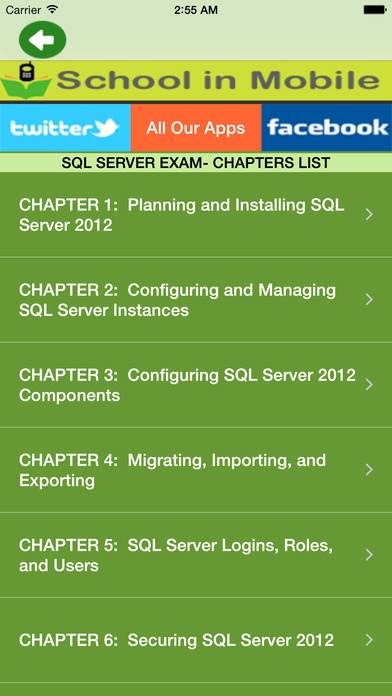
CHAPTER 1: Planning and Installing SQL Server 2012
CHAPTER 2: Configuring and Managing SQL Server Instances
CHAPTER 3: Configuring SQL Server 2012 Components
CHAPTER 4: Migrating, Importing, and Exporting
CHAPTER 5: SQL Server Logins, Roles, and Users
CHAPTER 6: Securing SQL Server 2012
CHAPTER 7: Mirroring and Replication
CHAPTER 8: Clustering and AlwaysOn
CHAPTER 9: Troubleshooting SQL Server 2012
CHAPTER 10: Indexes and Concurrency
CHAPTER 11: SQL Server Agent, Backup, and Restore
Like us on FaceApp
http://www.faceApp.com/schoolinmobile
Follow us on Twitter
https://twitter.com/#!/SchoolinMobile
Check Youtube video
https://www.youtube.com/watch?v=_S-TZvk5pAo
Disclaimer: This app was not created or endorsed by MICROSOFT
Requires iOS 8.1 or later. Compatible with iPhone, iPad, and iPod touch.
About SQL Server Exam 70-462 Prep
The company that develops SQL Server Exam 70-462 Prep is Aashita Jadhav. The latest version released by its developer is 2.1.
To install SQL Server Exam 70-462 Prep on your iOS device, just click the green Continue To App button above to start the installation process. The app is listed on our website since 2015-04-16 and was downloaded 4 times. We have already checked if the download link is safe, however for your own protection we recommend that you scan the downloaded app with your antivirus. Your antivirus may detect the SQL Server Exam 70-462 Prep as malware if the download link is broken.
How to install SQL Server Exam 70-462 Prep on your iOS device:
- Click on the Continue To App button on our website. This will redirect you to the App Store.
- Once the SQL Server Exam 70-462 Prep is shown in the iTunes listing of your iOS device, you can start its download and installation. Tap on the GET button to the right of the app to start downloading it.
- If you are not logged-in the iOS appstore app, you'll be prompted for your your Apple ID and/or password.
- After SQL Server Exam 70-462 Prep is downloaded, you'll see an INSTALL button to the right. Tap on it to start the actual installation of the iOS app.
- Once installation is finished you can tap on the OPEN button to start it. Its icon will also be added to your device home screen.
